

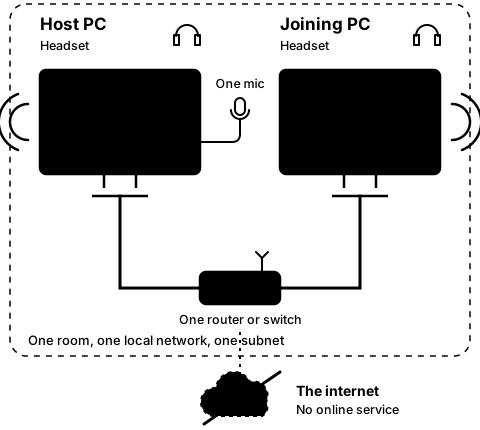
Step2D
On the joining PC
Leave, then join again by typing the address
Step 7 of 21. Each step is one action.
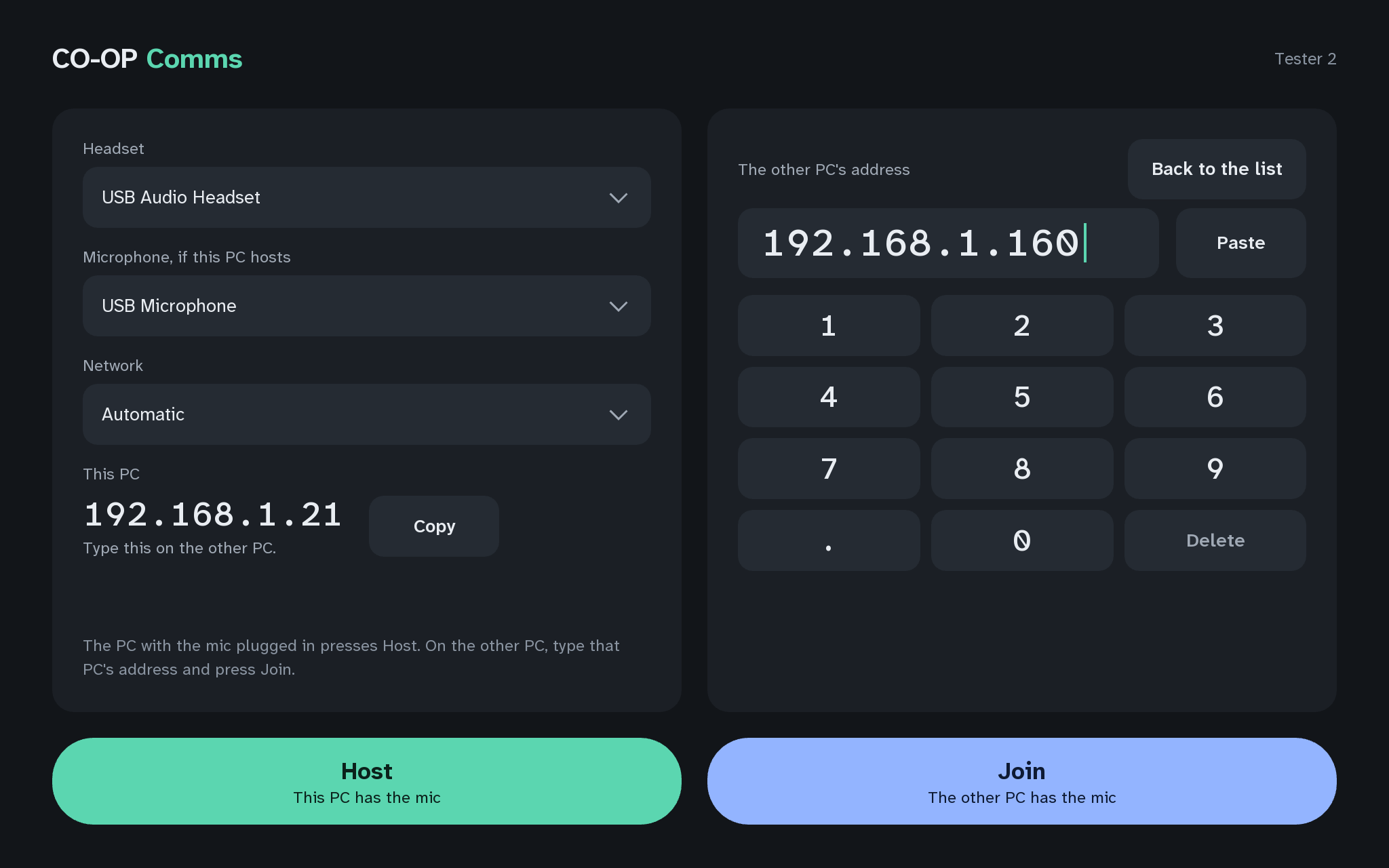
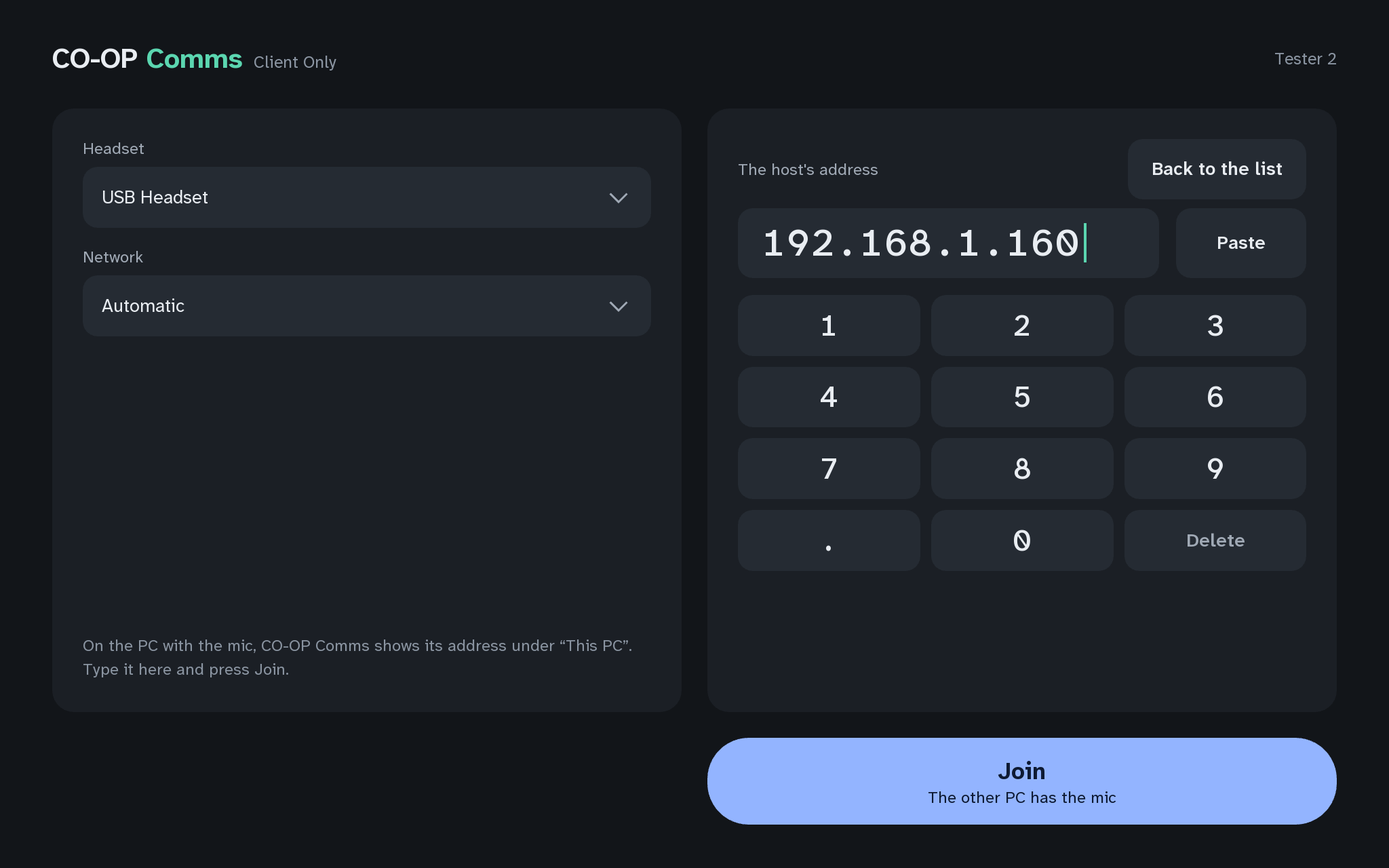
Press Leave. Press "Type the address instead", type the host PC's address (shown under This PC on the host's start screen) with the keypad, the keyboard or Paste, and press Join.
What you should see
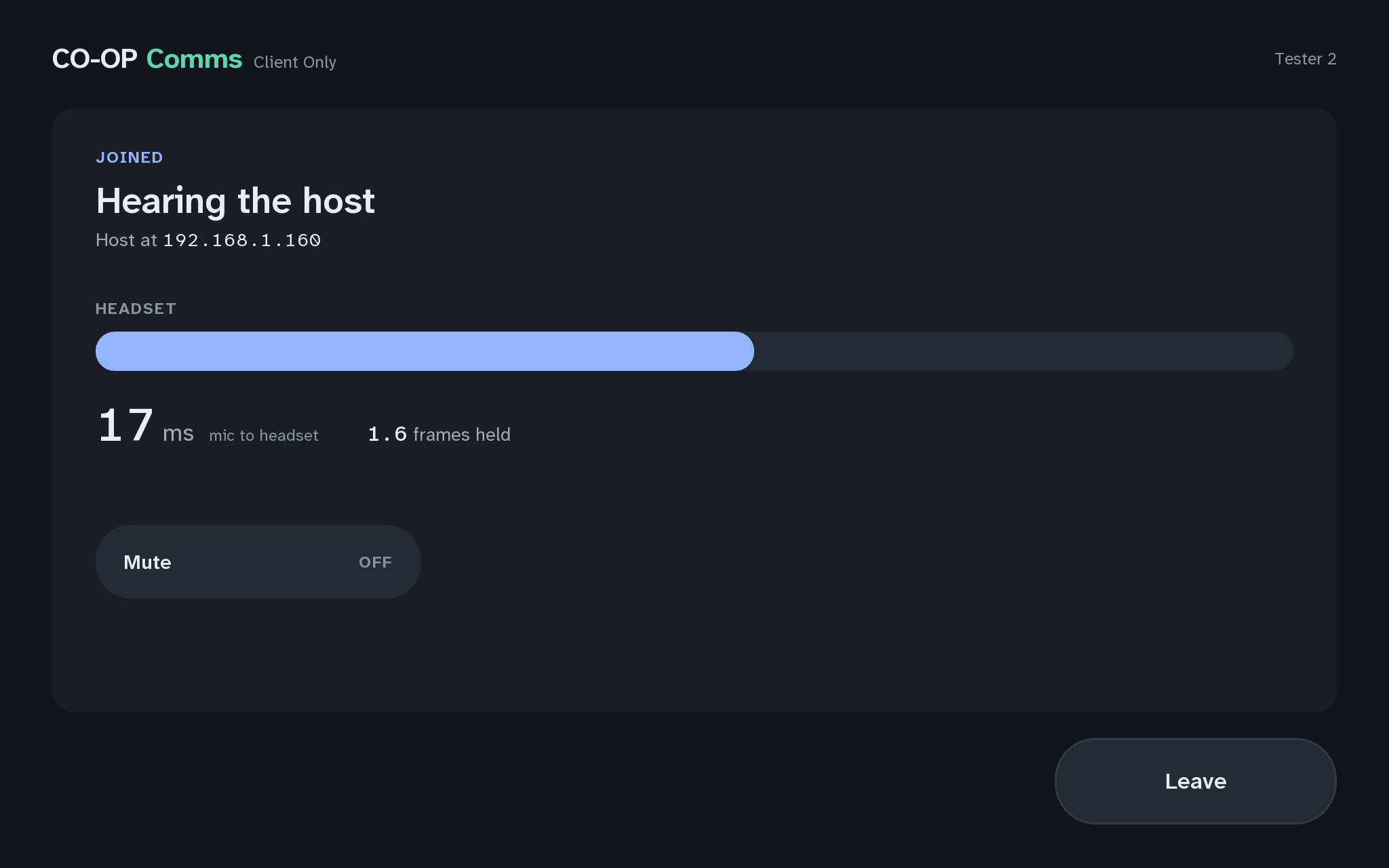
- The other PC has the micon the Join button, before you press it
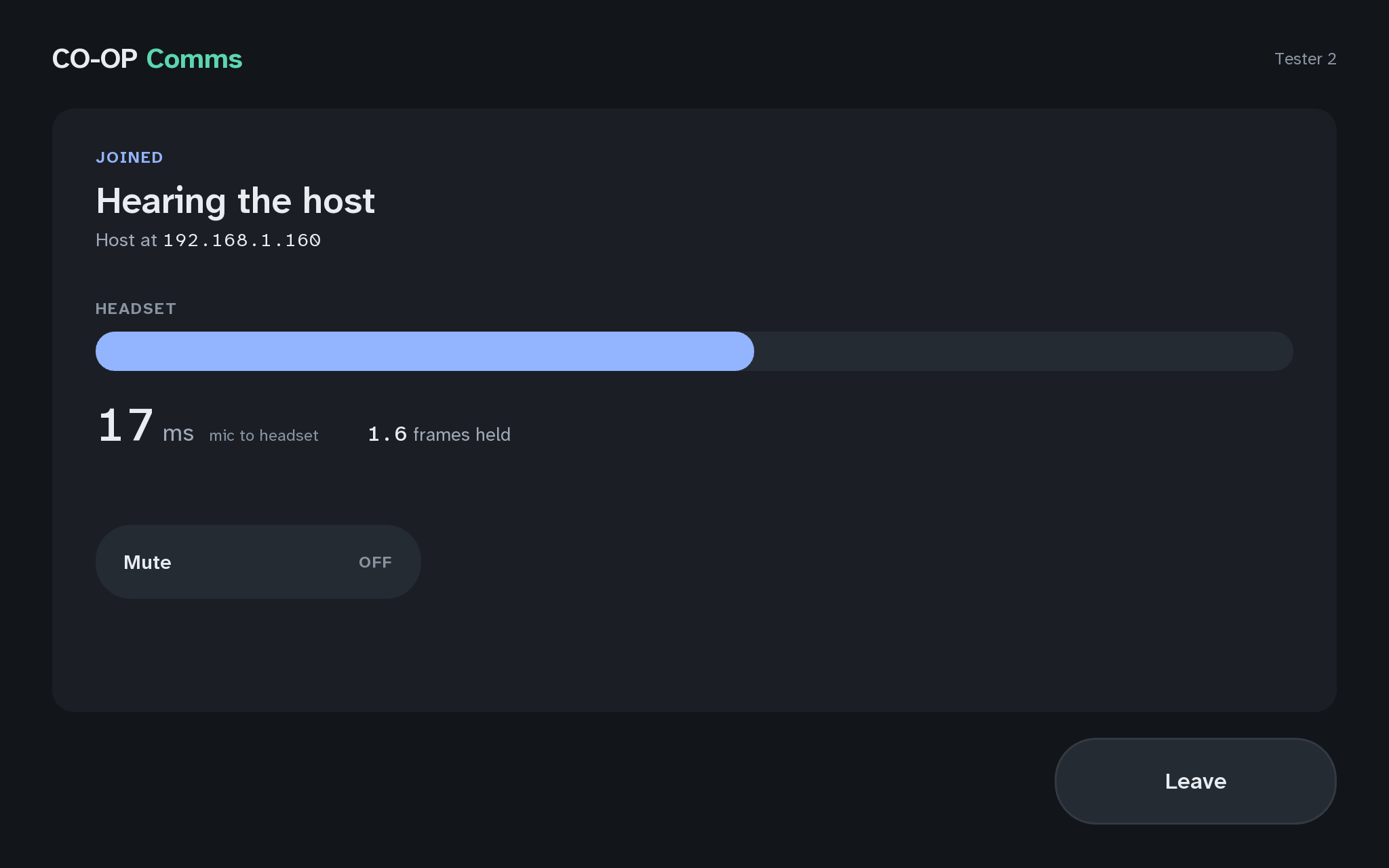
- JOINED
- Host at host PC's address
Words shaded like this stand for what your own screen shows there, such as your own user name or address.
The host PC also names its address in its line while hosting. The list finds hosts on the same subnet only; a typed address is tried on any subnet, private or public (Q6).
If anything here goes wrong, press Got stuck?, and when you write to us, please quote the label: Step 2D.