

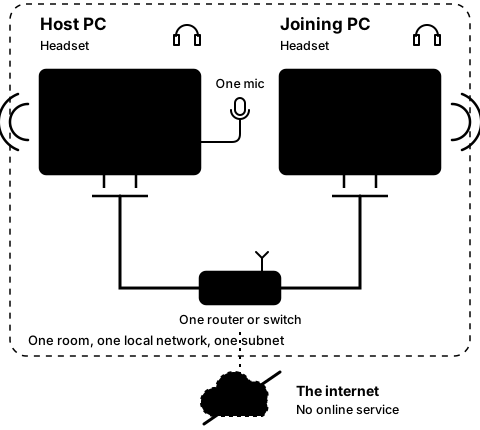
Step1B
On the host PC
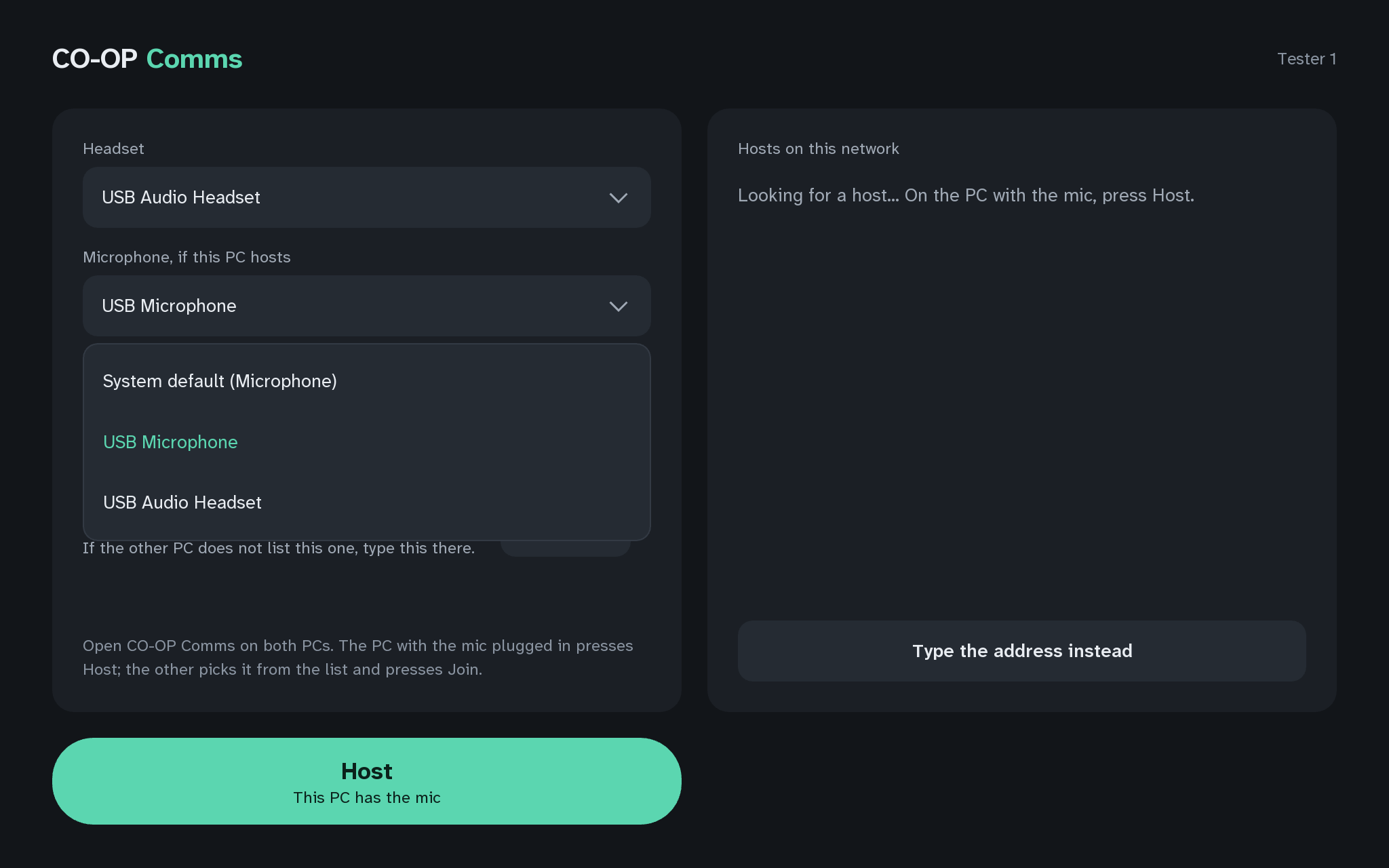
Pick the microphone and the headset
Step 2 of 21. Each step is one action.
This step needs CO-OP Comms. It cannot be done in CO-OP Comms Client Only.
Pick the microphone you will speak into, and the headset on this PC. Leave Network on Automatic.
What you should see
- The microphone and headset you picked, named in their pickers.
It works best with a wired headset; a wireless one works but adds its own delay. The host PC hears its own microphone through it too.
If anything here goes wrong, press Got stuck?, and when you write to us, please quote the label: Step 1B.