

Step4F
On both PCs, while linked
Read the delay on the joining PC
Step 17 of 21. Each step is one action.
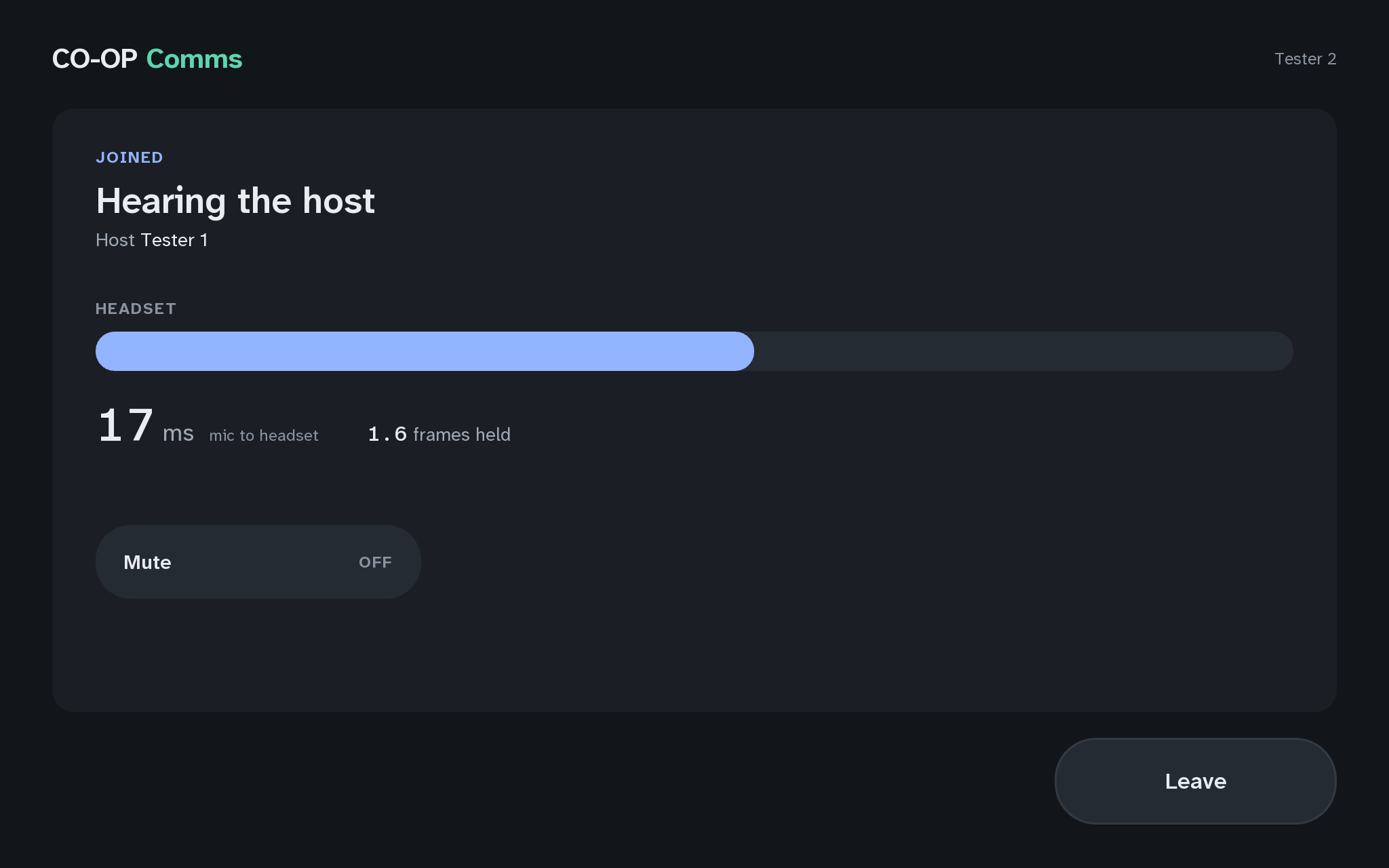
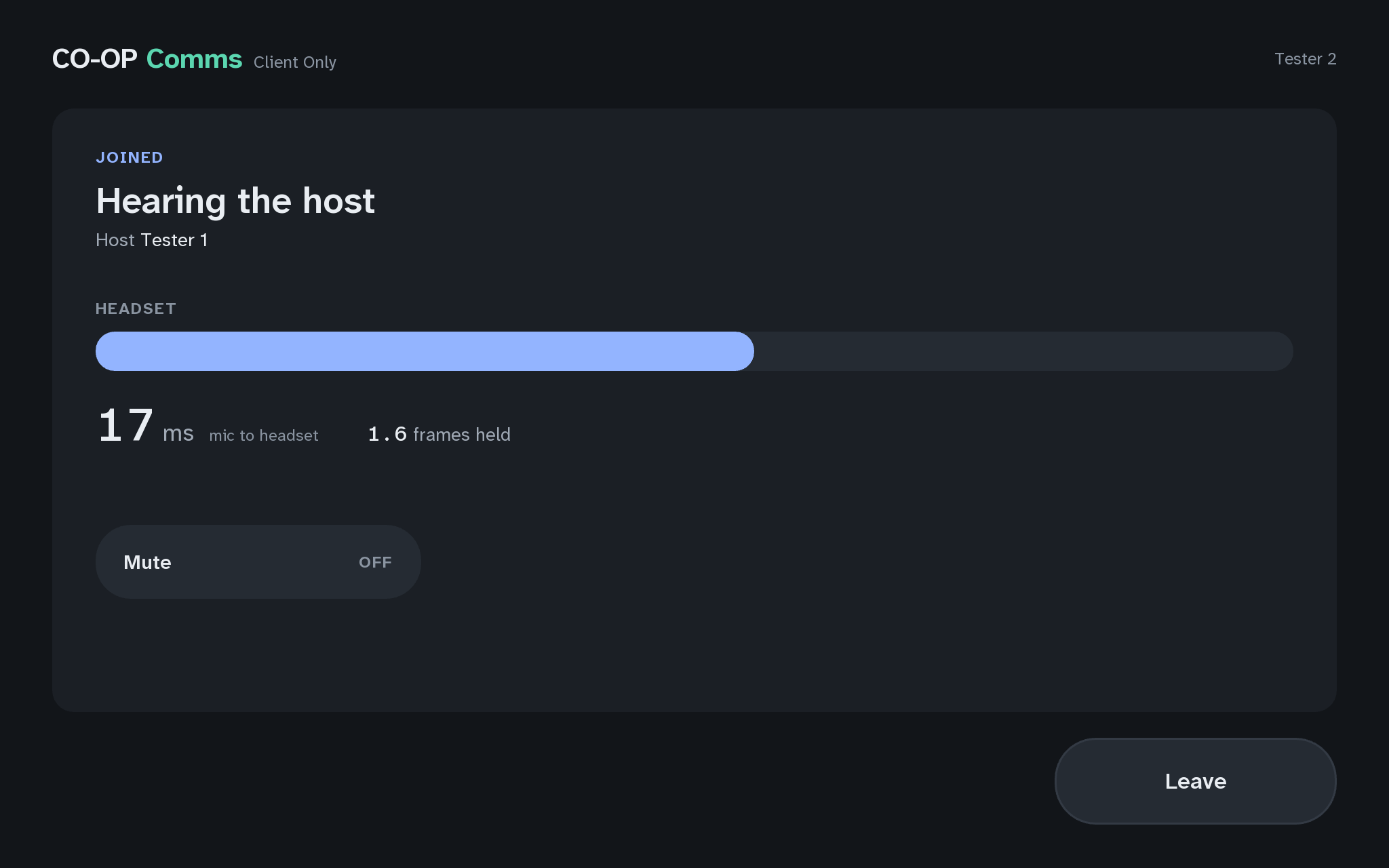
On the joining PC, read the numbers beside the HEADSET meter.
What you should see
- "ms mic to headset": the time from the host PC's microphone to this headset, in thousandths of a second. About 35 to 50 is normal on a wired network.
- "frames held": how much sound this PC keeps in hand to smooth out gaps in the network. It stays low and steady on a wired network.
The reading stops where the sound reaches the headset's driver, so a wireless headset's own delay is not in it. Volume is each PC's own Windows volume; CO-OP Comms has no volume control of its own.
If anything here goes wrong, press Got stuck?, and when you write to us, please quote the label: Step 4F.