

Step4C
On both PCs, while linked
Turn the noise gate off and on
Step 14 of 21. Each step is one action.
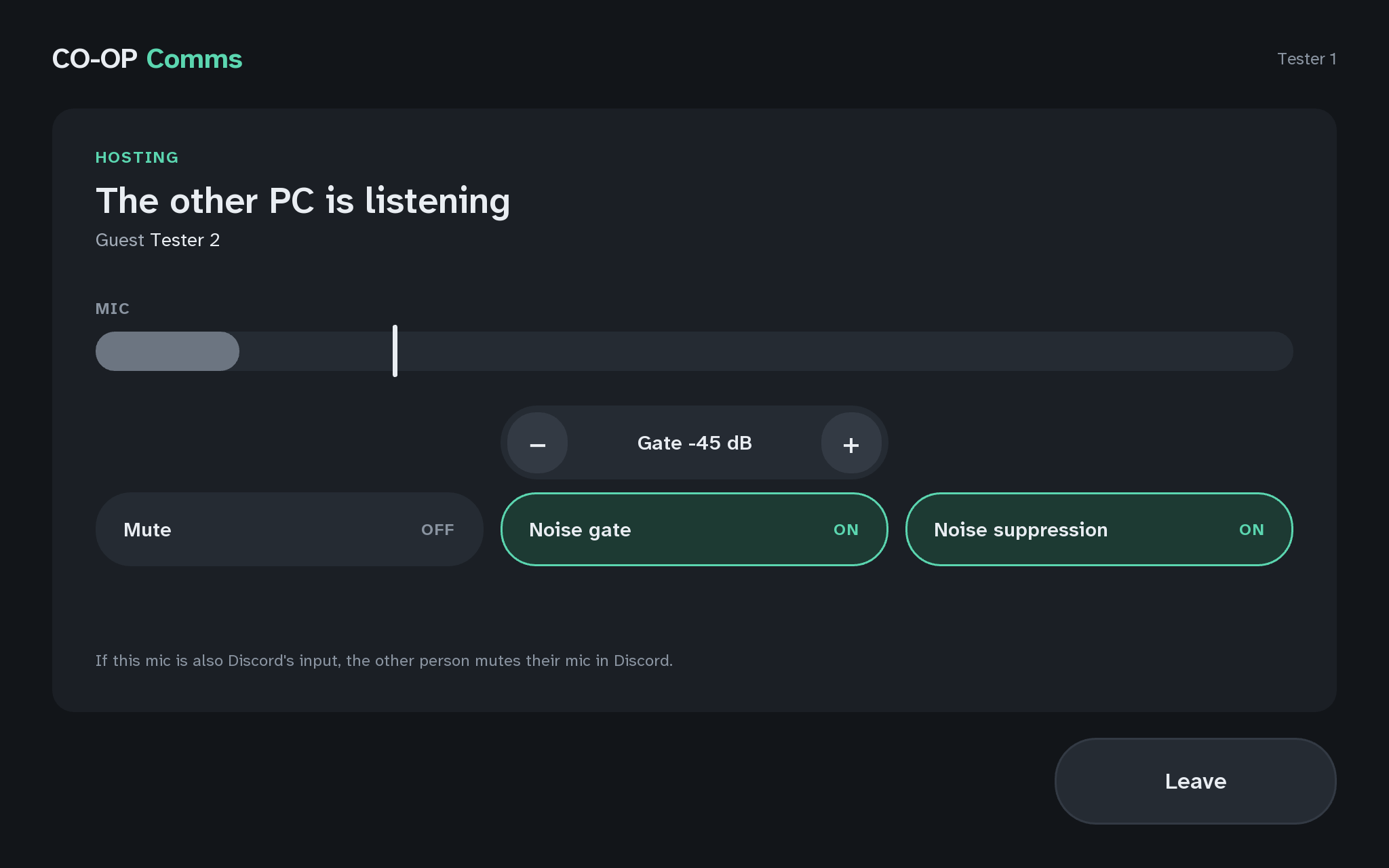
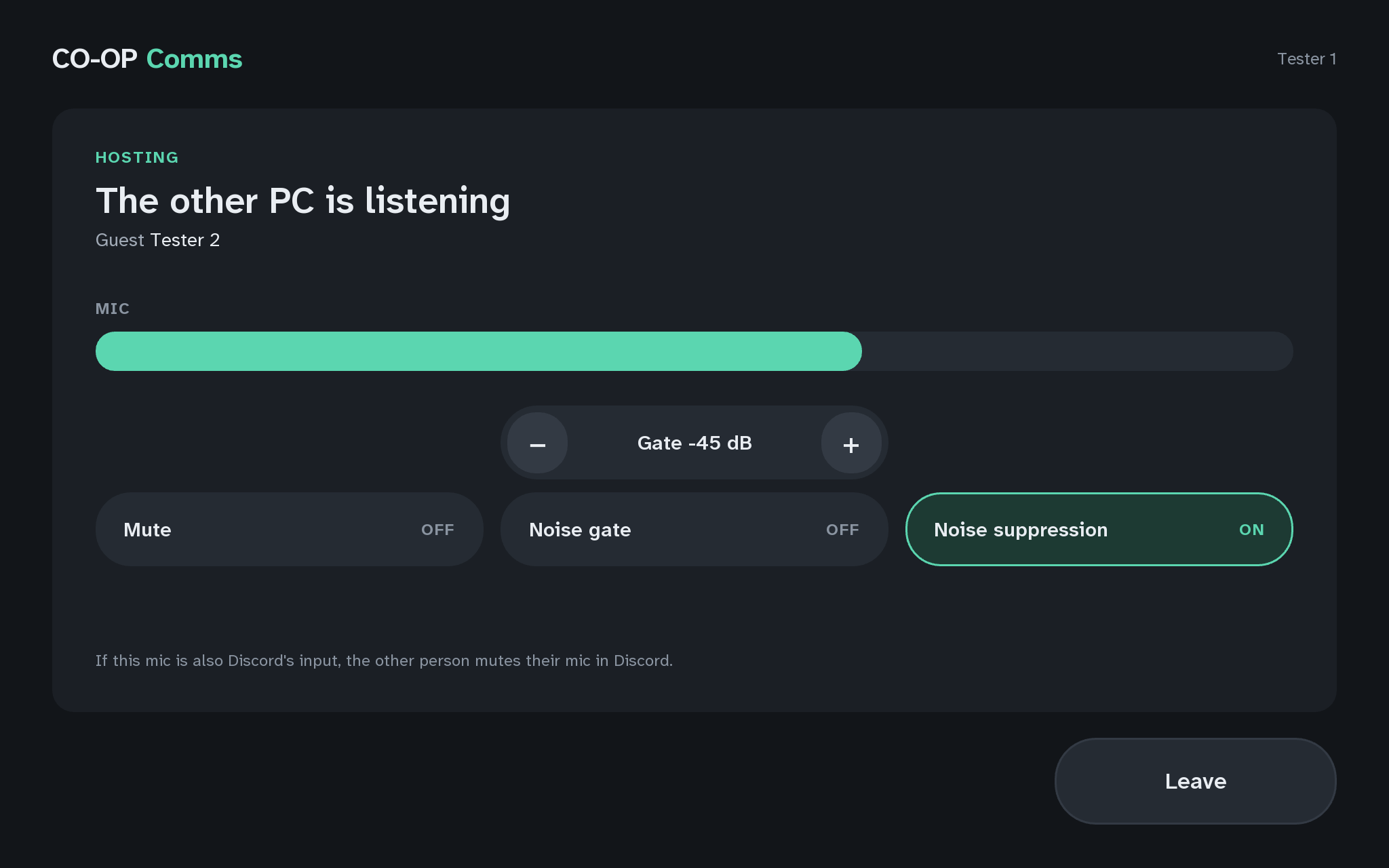
On the host PC, press Noise gate so it reads OFF, and stay quiet for a few seconds. Then press it again so it reads ON.
What you should see
- What the noise gate is for: it keeps the microphone shut between words, so the hum and clatter of the room is not sent, and opens the moment someone talks. It adds no delay.
- Noise gate reads ON when hosting starts.
- While it is ON and nobody talks, the MIC meter is grey: the gate is holding the microphone shut. A white line across the meter marks the level speech must reach to open it.
- With it OFF, the white line goes, the meter stays coloured, and the joining PC hears the quiet room noise between words too.
The gate stays as you leave it until CO-OP Comms quits.
If anything here goes wrong, press Got stuck?, and when you write to us, please quote the label: Step 4C.