

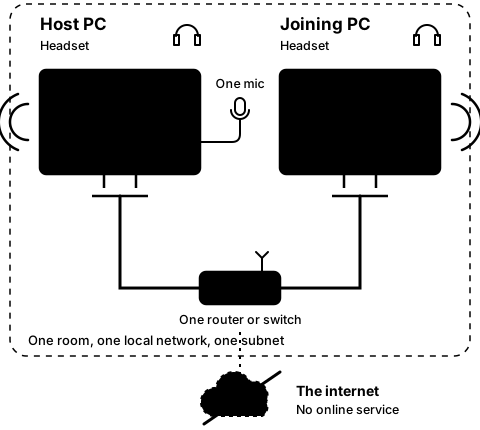
Find what you see.
Please start with the FAQ questions below: most trouble is one of these. Each has the same label on every page, Q1 to Q10. Then the problems we know for this step, each with its cause and fix.
- Q10
Are both PCs on version 0.2.2?
How to tell: Only 0.2.2 shows JOINING while it waits for the host, and the timed warnings these steps quote. 0.2.1 shows JOINED at once.
What to do: Let Steam update both PCs. Mixed versions still link, since the packet format did not change.
On CO-OP Comms Client Only: Client Only 0.2.1 also shows JOINED at once, with none of the timed warnings.
Problems we know for step 3B
-
3B-1
The host PC still shows its guest just after Leave.
- Why
- The host keeps a guest for up to 2 seconds after it goes quiet.
- Fix
- Nothing is wrong. Wait 2 seconds.
Still stuck after all of these?
Please tell us the build and the step: CO-OP Comms 0.2.2, draft build, Step 3B. Add the labels of the FAQ questions you tried, and what the screen says, word for word. That tells us exactly where you were.
Reply on the Steam review message thread for this build, or email benl@irontowerpress.com.