

Find what you see.
Please start with the FAQ questions below: most trouble is one of these. Each has the same label on every page, Q1 to Q10. Then the problems we know for this step, each with its cause and fix.
On CO-OP Comms Client Only: Press these on the host PC, which runs CO-OP Comms; a Client Only joining PC shows and hears the same.
- Q3
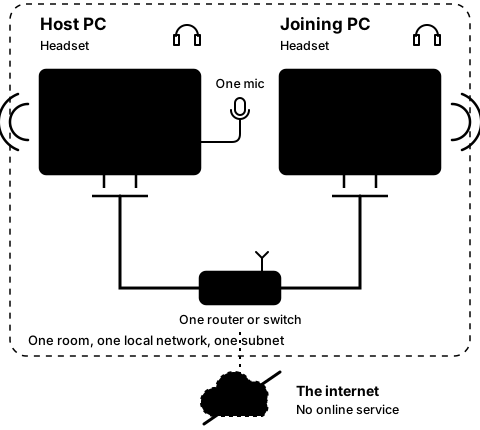
Is a headset plugged into each PC, and the one microphone into the host PC?
How to tell: With no microphone, the host's Microphone picker reads "No microphone found. Plug one in to host." With no headset or speakers, the Headset picker reads "No headset or speakers found. Plug one in." The host PC needs a headset too: it plays the microphone in its own headset, and without one Host stops with the red banner "Could not open the output device: … (is a headset or speakers plugged in and turned on?)" The lists are read when the app opens and again after every Leave.
What to do: Please plug the device in, then close and reopen the app, or press Leave once. If the host links but an amber line reads "The mic is sending pure silence. In Settings › Privacy & security › Microphone, let desktop apps use the microphone.", turn that setting on. The joining PC needs no microphone. If the voice feels late, please try a wired headset: a wireless one adds its own delay.
On CO-OP Comms Client Only: Client Only needs no microphone, only a headset or speakers. With none, its Headset picker reads "No headset or speakers found. Plug one in."
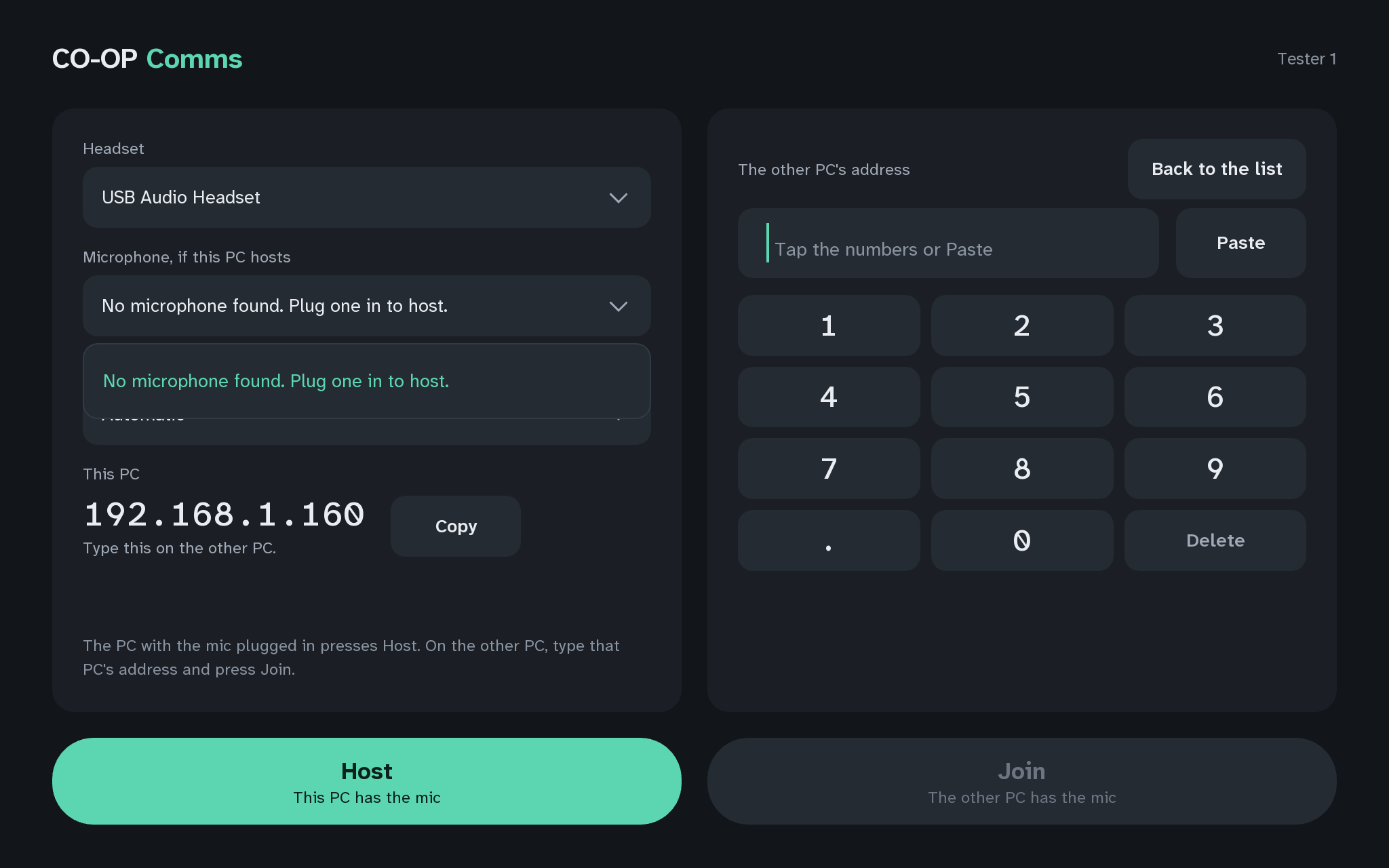
Q3The host PC: no microphone found 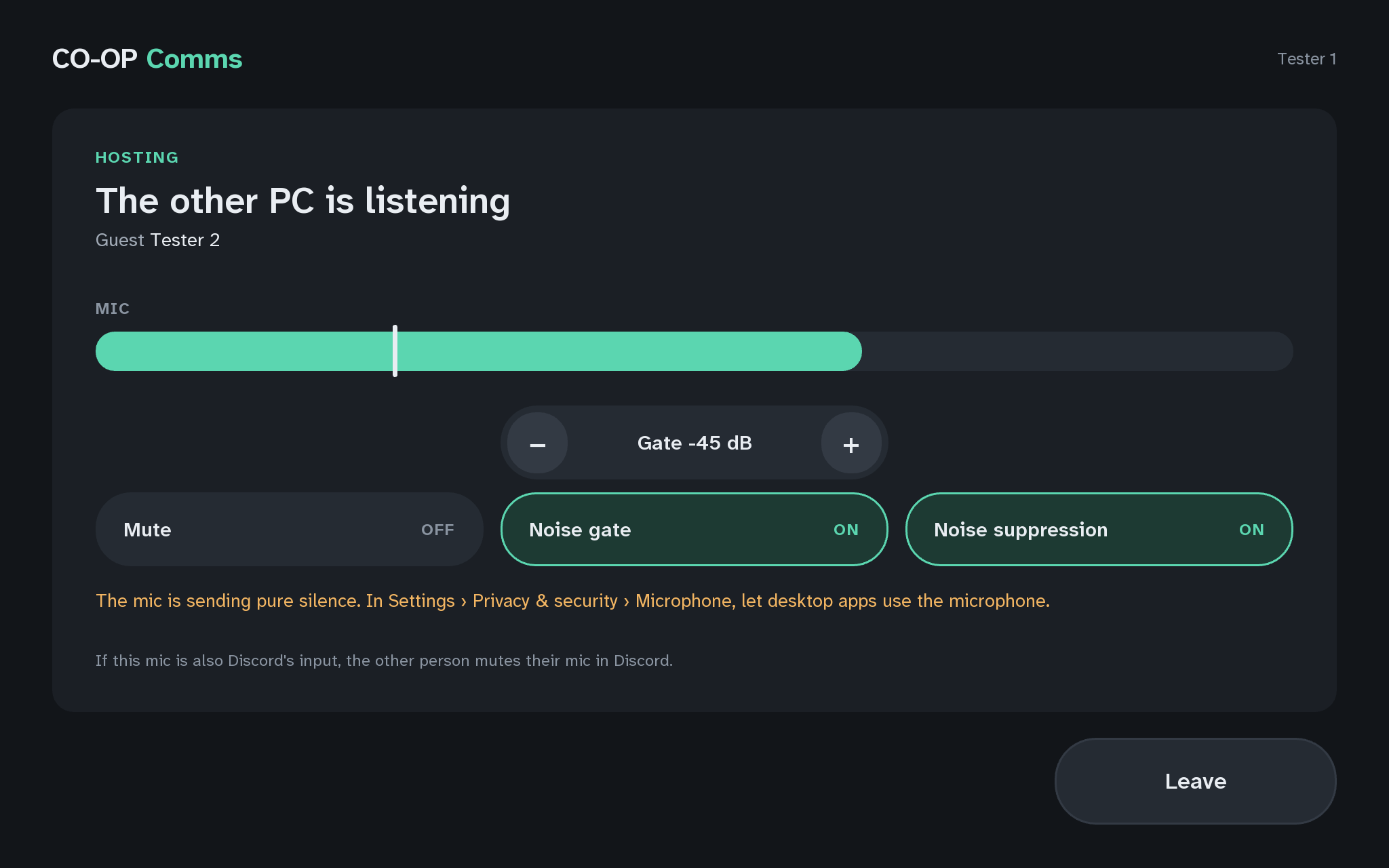
Q3The host PC: the mic is sending pure silence 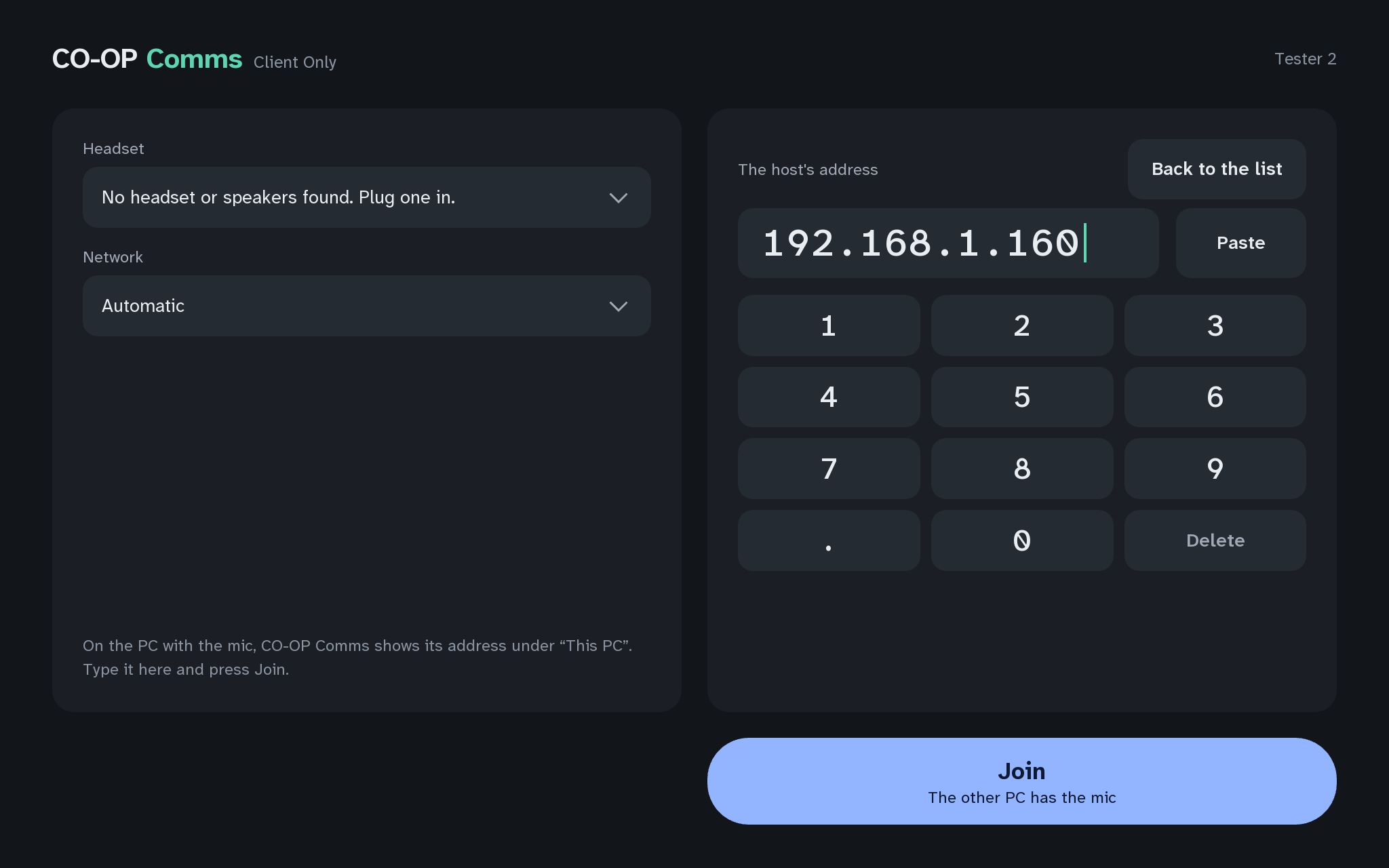
Q3No headset or speakers foundCO-OP Comms Client Only 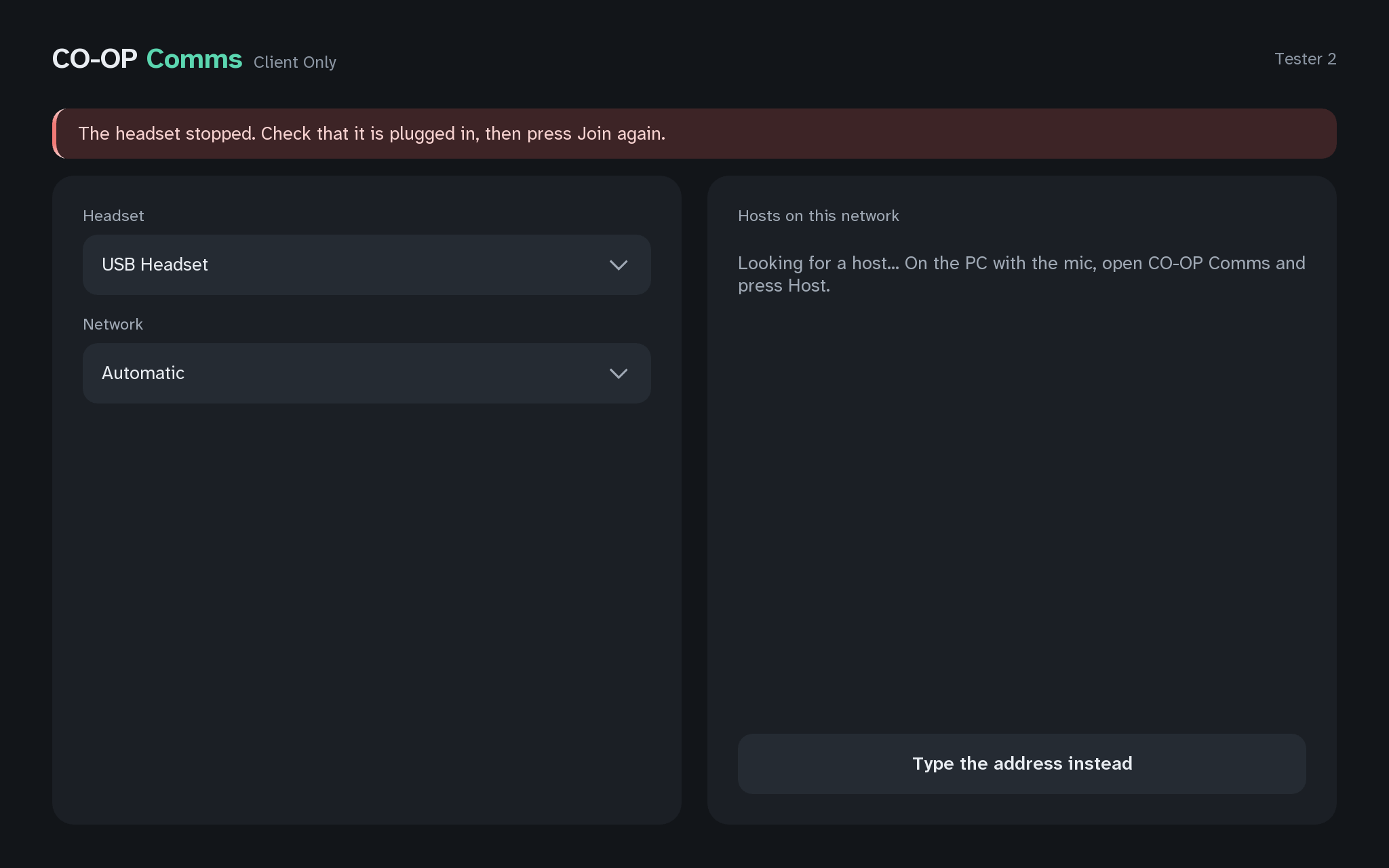
Q3The headset stoppedCO-OP Comms Client Only
Problems we know for step 4A
-
4A-1
I see
If this mic is also Discord's input, the other person mutes their mic in Discord.
A grey line at the foot of the host PC's window, always there while hosting.
- Why
- When the same microphone also feeds Discord, someone in Discord who is also in the room hears the voice twice: once through CO-OP Comms and once through Discord.
- Fix
- Nothing is wrong with CO-OP Comms. The other person in the room mutes their microphone in Discord.
-
4A-2
The joining PC still reads JOINED while the host is muted.
- Why
- Mute sends silence instead of the voice; the link stays up, so nothing has to reconnect.
- Fix
- Nothing is wrong. Press Mute again on the host PC so it reads OFF.
Still stuck after all of these?
Please tell us the build and the step: CO-OP Comms 0.2.2, draft build, Step 4A. Add the labels of the FAQ questions you tried, and what the screen says, word for word. That tells us exactly where you were.
Reply on the Steam review message thread for this build, or email benl@irontowerpress.com.